Our mission is to meet your company’s needs
Newline’s founders, Chris Bradford and Kevin Wang, started the company with the mission of bridging the gap between state-of-the-art products and a state-of-the-art user experience. They set out to create products that were not only impressive in design and features, but were so simple to use that everyone can interact and enjoy the innovation behind them.
Truly innovative products help people and organizations find ways to be more successful, more efficient, more collaborative, and find more enjoyment in their work.
Book Your Free Newline Training Session
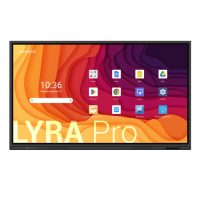
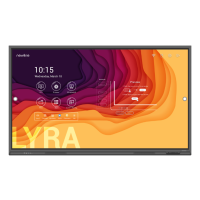
Get the most from your Newline Interactive display with free online training sessions designed to help your team feel confident from day one. Whether you are exploring the powerful collaboration tools within the Lyra / Lyra Pro, discovering the performance of the Elara / Elara Pro, or simply looking to learn more about the Newline ecosystem, these expert-led 30-minute sessions provide practical guidance and best practices tailored to your needs. As a trusted Newline partner, Comcen can also support your organisation with installation, onboarding and ongoing AV training to maximise your investment.
Available Training Sessions
Get to know the Lyra / Lyra Pro
Get to know the Elara / Elara Pro
Get to know Newline
Book Your Session
Inspire collaboration and active learning
Newline interactive displays help educators create engaging, student-focused learning environments. From primary schools to universities, Newline technology encourages participation, creativity and collaboration through intuitive touchscreen experiences.
Teachers can annotate, present, share content wirelessly and interact with students in real time — all from one easy-to-use display.
Work with the software you already know
Newline’s open ecosystem allows schools and organisations to use the platforms and software they already trust. Compatible with Windows, Microsoft 365, Google Workspace and leading education applications, Newline displays integrate effortlessly into existing IT environments.
Teachers can open Office files, install familiar apps and access cloud-based learning resources without being locked into proprietary software.
Multi-touch collaboration without limits
Newline touchscreens support simultaneous touch and annotation, allowing multiple users to write, draw and collaborate at the same time using either fingers or stylus pens. The ultra-responsive displays deliver a smooth, natural writing experience with minimal lag.
Newline Interactive Ecosystem
Smart software built for modern collaboration
Newline’s software ecosystem is designed to make meetings, lessons and presentations more connected and efficient.
From wireless casting to remote device management, every tool is created to simplify collaboration.
Newline Cast+
Wireless screen sharing made simple
Newline Cast+ enables users to wirelessly share content from laptops, tablets and smartphones directly to the display with a single click. Multiple users can present simultaneously without cables or adapters.
Key features include:
Wireless screen sharing from any device
Up to 9 simultaneous presentations
Touchback control for two-way interaction
Browser-based connectivity
Moderator mode for controlled collaboration
Compatible with Windows, Android, macOS and iOS
Newline Broadcast
Share presentations with audiences anywhere
Newline Broadcast allows presenters to stream content from the display to up to 200 connected participants in real time, ideal for hybrid meetings, lectures and training sessions.
Participants can join instantly using a simple six-digit code from anywhere with an internet connection.
Newline Display Management
Centrally manage every display
Manage all your Newline interactive displays remotely through a secure cloud-based portal.
IT teams can deploy apps, configure settings, push announcements and provide remote support without leaving their desk.
Ideal for multi-site schools, MATs, universities and corporate organisations.
Flexible Solutions for Every Environment
BYOD Collaboration
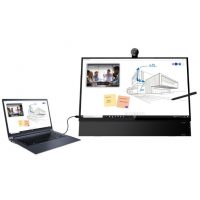
Newline supports Bring Your Own Device (BYOD) environments, allowing users to connect their preferred devices quickly and securely using a wide range of wired and wireless connectivity options.
Windows OPS Integration
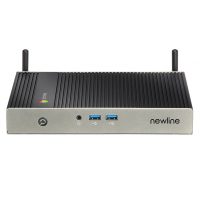
Enhance your Newline display with optional OPS Windows modules and Android solutions to create a fully integrated collaboration hub tailored to your organisation’s requirements.
Video Conferencing Ready
Newline interactive displays are built for hybrid collaboration, supporting Microsoft Teams, Zoom and leading conferencing platforms to create seamless meeting experiences across any workspace.
Newline Whiteboard & Windows Ink
Natural teaching and collaboration tools for modern classrooms
Newline Whiteboard and Windows Ink work together to create a smooth, intuitive teaching experience that keeps students engaged and lessons interactive. Teachers can write naturally using a stylus or finger, annotate directly over presentations, websites and documents, and save notes instantly for future lessons or student sharing.
The infinite canvas within Newline Whiteboard makes brainstorming, problem solving and collaborative learning simple, while Windows Ink delivers accurate handwriting recognition and responsive annotation across familiar Microsoft applications such as Word, PowerPoint and OneNote.
Designed for modern education environments, these tools help teachers deliver more dynamic lessons, encourage student participation and simplify hybrid learning and classroom collaboration.